> ## Documentation Index
> Fetch the complete documentation index at: https://docs.runchat.com/llms.txt
> Use this file to discover all available pages before exploring further.
# Loops
> Pass data upstream with loop edges to iterate, build chat memory, paginate APIs, or run recursive workflows. Covers for-loops, while-loops, and memory.
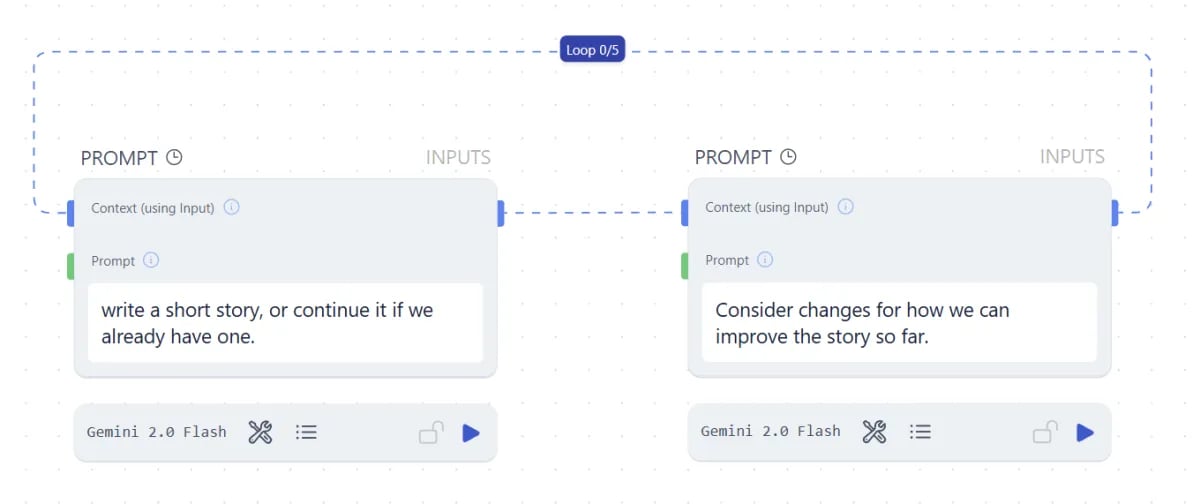 Loops let you pass data upstream to define recursive workflows. They are useful for generate-and-critique cycles, paginated API calls, website crawling, task orchestration, and chat memory.
Most of the time you don't need a loop. Runchat already iterates over each input to a parameter and runs calculations in parallel. Reach for a loop edge only when you genuinely need a recursive flow where the next iteration depends on the previous one.
You create a loop by connecting an output parameter back to an input on an upstream node. The maximum number of iterations is **100**, regardless of loop type.
## How loops update the canvas
Loops let you pass data upstream to define recursive workflows. They are useful for generate-and-critique cycles, paginated API calls, website crawling, task orchestration, and chat memory.
Most of the time you don't need a loop. Runchat already iterates over each input to a parameter and runs calculations in parallel. Reach for a loop edge only when you genuinely need a recursive flow where the next iteration depends on the previous one.
You create a loop by connecting an output parameter back to an input on an upstream node. The maximum number of iterations is **100**, regardless of loop type.
## How loops update the canvas
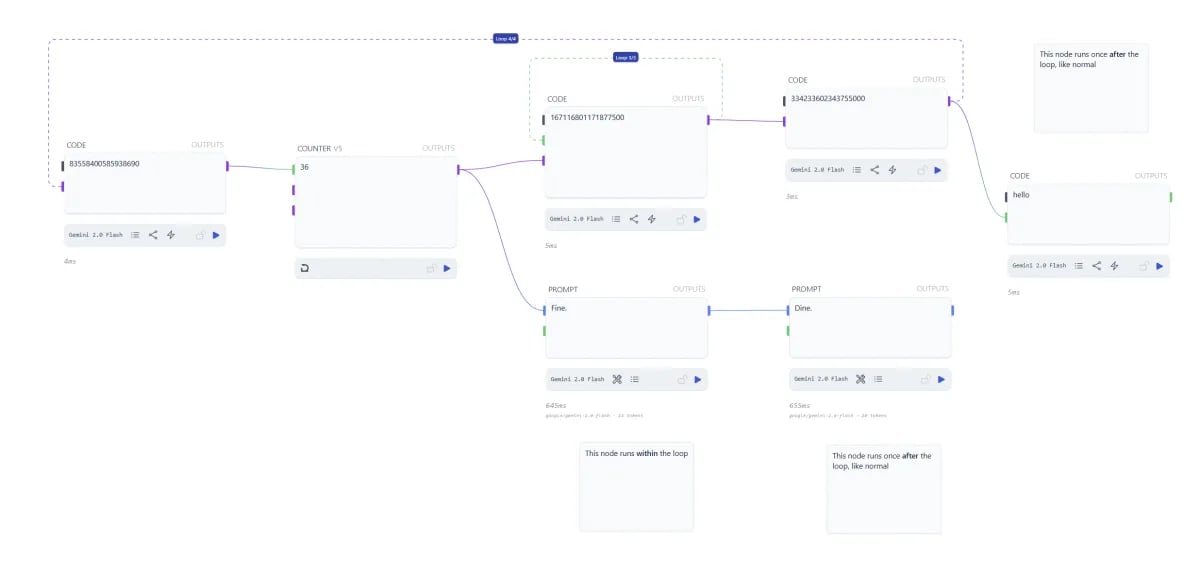 Nodes between the loop's source and target run on every iteration. Their immediate children also run, which lets you incrementally build a list during the loop without threading it through every node. Nodes further downstream from those children only run once, after the loop completes.
## For loops
A for-loop runs a fixed number of times. Click the blue loop tag in the centre of a loop edge to set the count, up to 100.
## While loops
Nodes between the loop's source and target run on every iteration. Their immediate children also run, which lets you incrementally build a list during the loop without threading it through every node. Nodes further downstream from those children only run once, after the loop completes.
## For loops
A for-loop runs a fixed number of times. Click the blue loop tag in the centre of a loop edge to set the count, up to 100.
## While loops
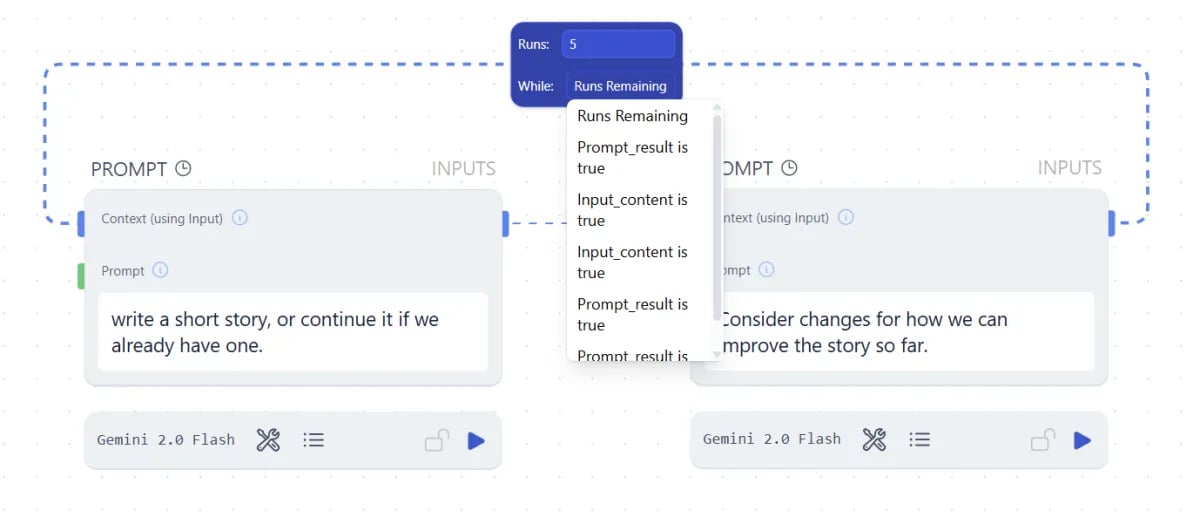 A while-loop runs until a condition becomes false. Reference an output parameter from your workflow as the loop's stop condition. While that parameter evaluates to `true`, the loop continues. When it evaluates to `false`, the loop stops. Still capped at 100 iterations.
## Loops as memory
A while-loop runs until a condition becomes false. Reference an output parameter from your workflow as the loop's stop condition. While that parameter evaluates to `true`, the loop continues. When it evaluates to `false`, the loop stops. Still capped at 100 iterations.
## Loops as memory
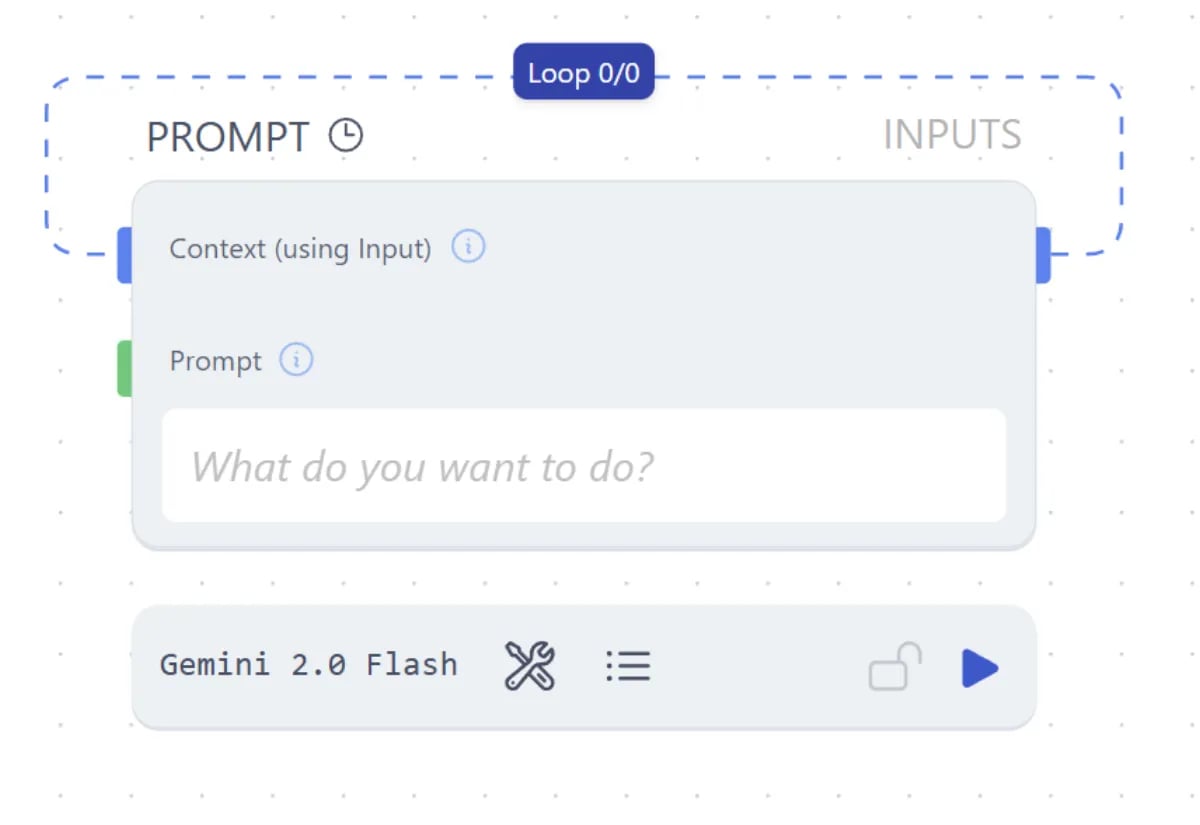 A loop edge set to zero iterations doesn't loop, but it still passes the output value back to the input on the next run. This gives a node memory of its previous output. Useful for:
* Building chat history that continues across runs
* Adding to a list over time
* Running counters
* Anything that needs to know what happened on the previous run
## Next steps
* [Data Matching](/concepts/data/data-matching): how parallel iteration works without a loop
* [Routing](/concepts/data/routing): branch a workflow based on conditions
* [Data Referencing](/concepts/data/data-referencing): pull values into prompts without edges
A loop edge set to zero iterations doesn't loop, but it still passes the output value back to the input on the next run. This gives a node memory of its previous output. Useful for:
* Building chat history that continues across runs
* Adding to a list over time
* Running counters
* Anything that needs to know what happened on the previous run
## Next steps
* [Data Matching](/concepts/data/data-matching): how parallel iteration works without a loop
* [Routing](/concepts/data/routing): branch a workflow based on conditions
* [Data Referencing](/concepts/data/data-referencing): pull values into prompts without edges