

Open the example workflow
Make a copy of this workflow in your account to try it with your own images.
How it works
- Every 1.5 seconds, the app runs a small published tool that asks Rhino for the camera position. It’s instant and costs nothing.
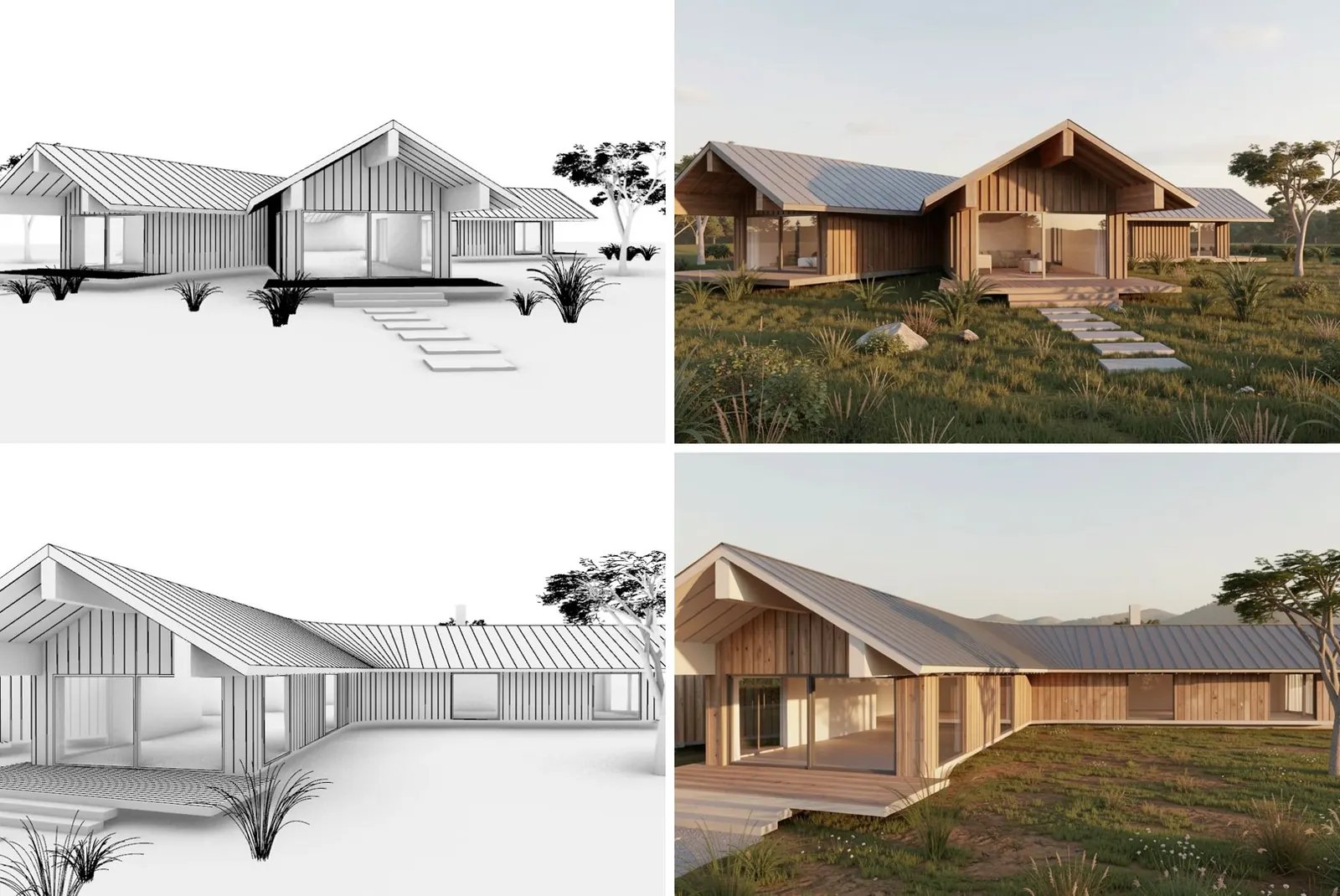
- When the camera has moved and then stayed still, the app runs a second tool that captures the viewport and renders it with Flux 2 Klein (a few credits, about 5 seconds).
- Renders appear in the app with the capture in the corner, and the last 12 are kept in a strip on the right. Render now forces a render.
Tips
- Edit Render prompt in the app to change the style of every draft.
- The two tools are separate workflows, AI viewport: camera signature and AI viewport: draft render. Copy and republish the draft render tool to swap in a different model.
- Needs the Runchat plugin for Rhino connected. See Apps for how apps call published tools.