

Getting Started:
1. Install Runchat for Rhino
- In rhino, run
PackageManager - Search for Runchat and Install it
- Restart rhino before continuing
2. Download the examples
Ready-to-open Grasshopper definitions covering image editing, mesh generation, and scripting workflows.Download a ZIP file of all examples here:
GH Examples ZIP
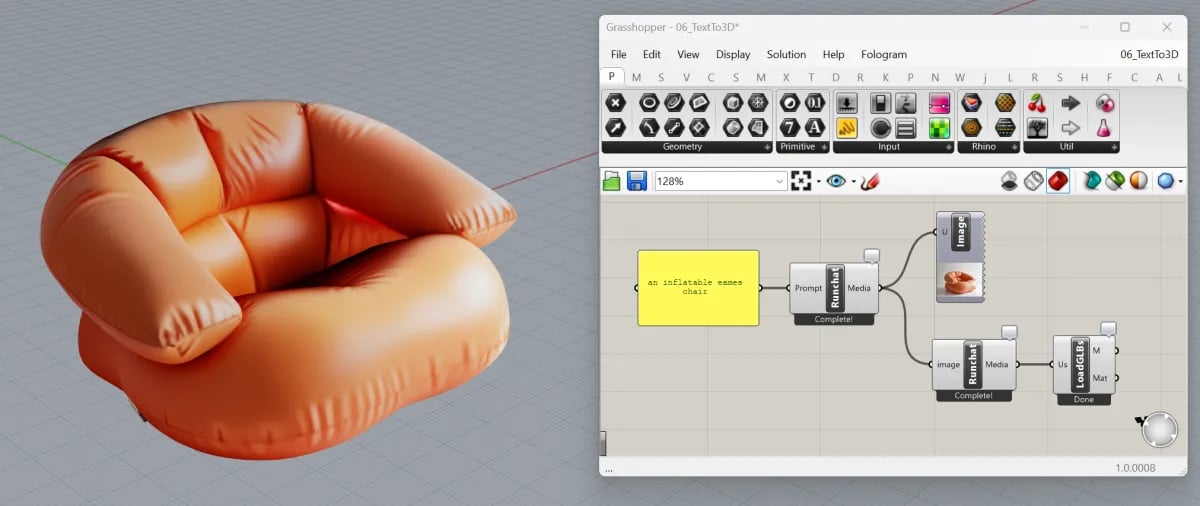
3. Link your API key
You will need to create a Runchat API key to connect Grasshopper to your Runchat account.- Right-click the runchat node in the grasshopper definition and click “Get API Key”, or head to
runchat.comand create an account or sign in - Verify your account by following the link sent to your email address
- Whilst logged into your account:
- Proceed to runchat.com/dashboard
- Copy your key to your clipboard. If you need another one, you can create one from the account menu.
The API key is stored as a local environment variable and is not saved with
your Grasshopper definition.
4. Watch the tutorial series to build your own workflows
5. Using the Runchat Agent in Grasshopper (Beta)
You can use the chat agent in the Runchat Rhino plugin window to interact with your active Grasshopper document. The agent can:- Read the canvas and explain what the definition does
- Read the inputs and outputs of individual components
- Search for components and add them to the canvas
- Connect and disconnect components to build definitions
- Asking questions about your grasshopper definition
- Building simple definitions from scratch
- Converting Rhino scripts to grasshopper definitions
The Runchat component
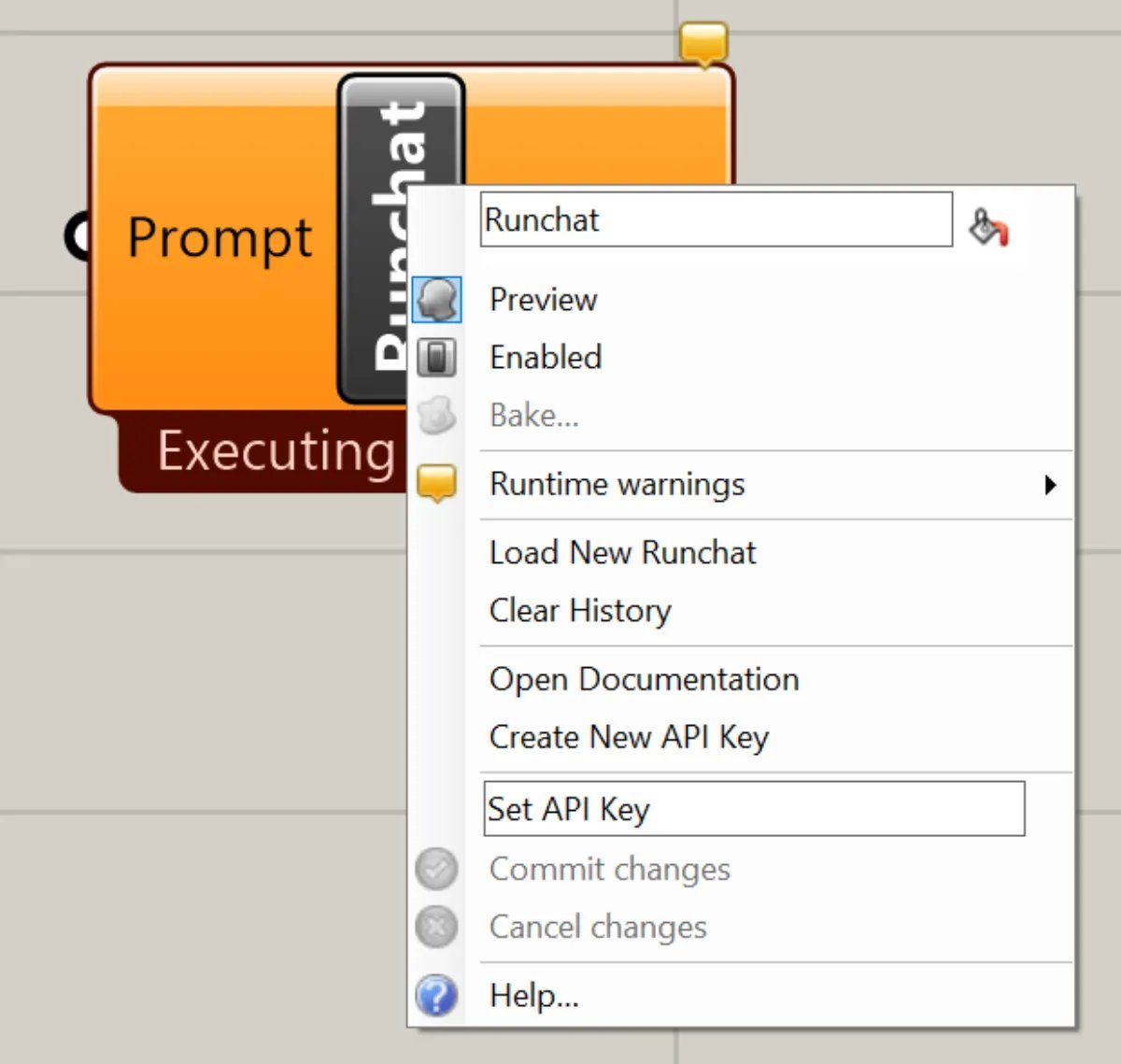
How it works
- Build and publish a workflow in runchat.com with the inputs and outputs you want exposed.
- Copy the workflow ID from the URL.
- Drop a Runchat node onto the Grasshopper canvas. It starts with a single
IDparameter. - Right-click the
IDparameter, set the workflow ID, and the node rebuilds with matching inputs and outputs. - Wire Grasshopper data into the inputs and run. Results come back asynchronously, so Grasshopper stays responsive while the workflow runs.
Input and Output Parameters
The parameters on the node match what you published in Runchat. If you change what is published (add a new input, rename an output), use Reset Runchat from the right-click menu to reload the schema. All values are cast to strings. If your workflow returns a JSON object, use theJSwan plugin to deserialize it and access individual properties.
Right-click menu
Load New Runchat Resets the component back to its initial state with a singleID parameter so you can load a different workflow.
Open Artifacts
Opens the artifacts view to browse all images generated by this workflow.
Reset Runchat
Re-loads the Runchat schema (input and output parameters) for this component. Use this whenever you add or remove published parameters in your workflow on runchat.com.
After resetting you may need to re-connect inputs and outputs.
Reset also clears any state on the workflow instance. By default, the first run creates a new instance (copy) of your Runchat and every subsequent run reuses it, so the workflow can reference previous state (for example, building chat history with a Loop node). Reset to start fresh.
Open Documentation
Launches this site.
Get an API Key
Opens runchat.com/signup/grasshopper to log in or sign up, then redirects to the dashboard to create a new key.
Set API Key
Paste your API key and click Commit Changes. The key is saved as a local environment variable, so you only need to set it once per machine and it is never written to the Grasshopper file.
Utility components
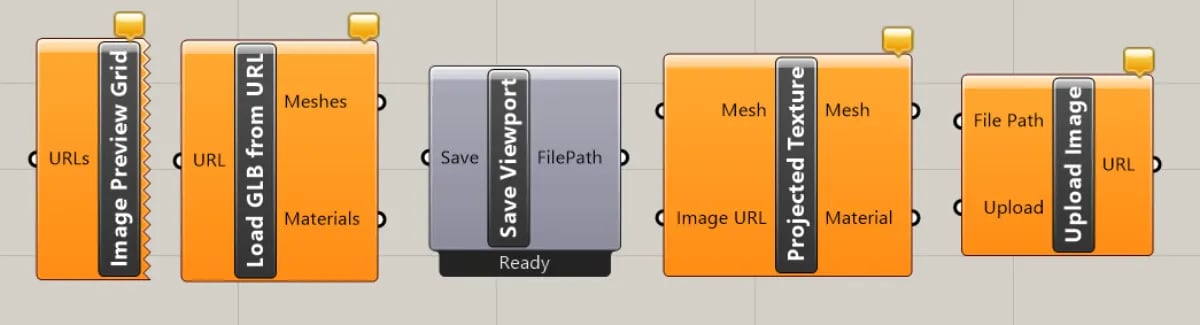
Image Preview
Connect an image URL to download and preview the image in Grasshopper. Useful for previewing the output of text-to-image workflows.Load GLB
Connect a glb or gltf URL to download and load the model into the Rhino viewport. Useful for previewing the output of image-to-3D workflows.Upload Screenshot
Uploads a screenshot of the active Rhino viewport to Runchat and returns the URL. Use this to feed Rhino geometry into a workflow as image input, for example to generate renders from a massing model.Camera Projection
Projects an image onto a mesh using the camera in the active Rhino viewport. Useful for applying generated textures or reference images onto existing geometry.Preview Viewport
Displays an image in a new viewport with matching dimensions. Useful for comparing generated images against the active scene.Next steps
- Runchat in Grasshopper playlist on YouTube
- Runchat for Rhino: the Rhino side of the plugin