

Open the example workflow
Make a copy of this workflow in your account to try it with your own images.
How it works
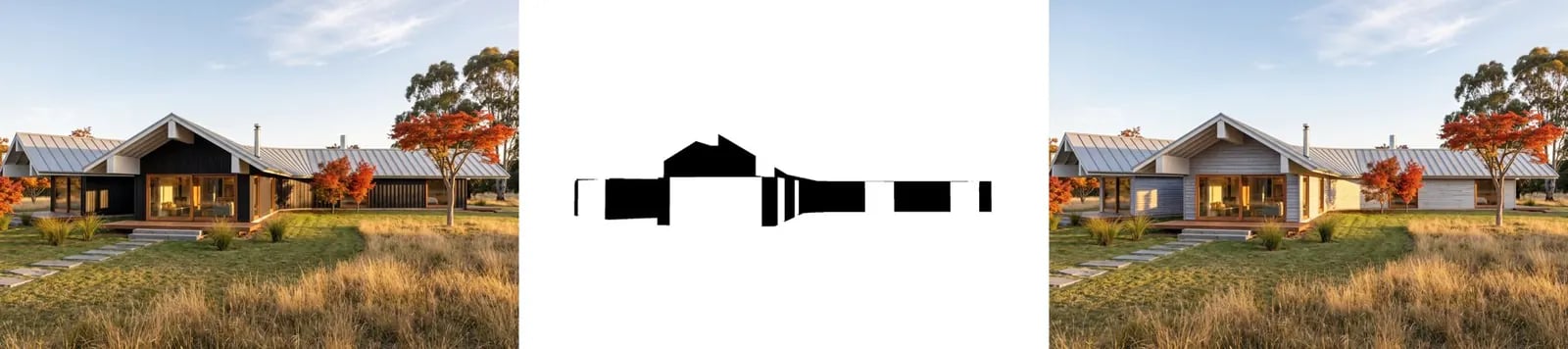
- Render (Nano Banana Pro) turns the linework view into a photograph.
- Mask of one material is a flat capture from Rhino: the matching material in one colour, everything else in another. The Rhino node finds the material by keyword (here cladding).
- Fit mask to render resizes the mask to the render and makes the area to edit black.
- Masked edit: swap cladding (Ideogram 4.5) changes only the masked area: replace the blackened timber cladding with natural silver-grey weathered cedar shiplap boards.
Tips
- Capture the mask from the exact same view and aspect ratio as the render, or it won’t line up.
- Ideogram treats black as the area to edit. Other inpainting models may expect white: check the model’s description.