

Open the example workflow
Make a copy of this workflow in your account to try it with your own images.
How it works
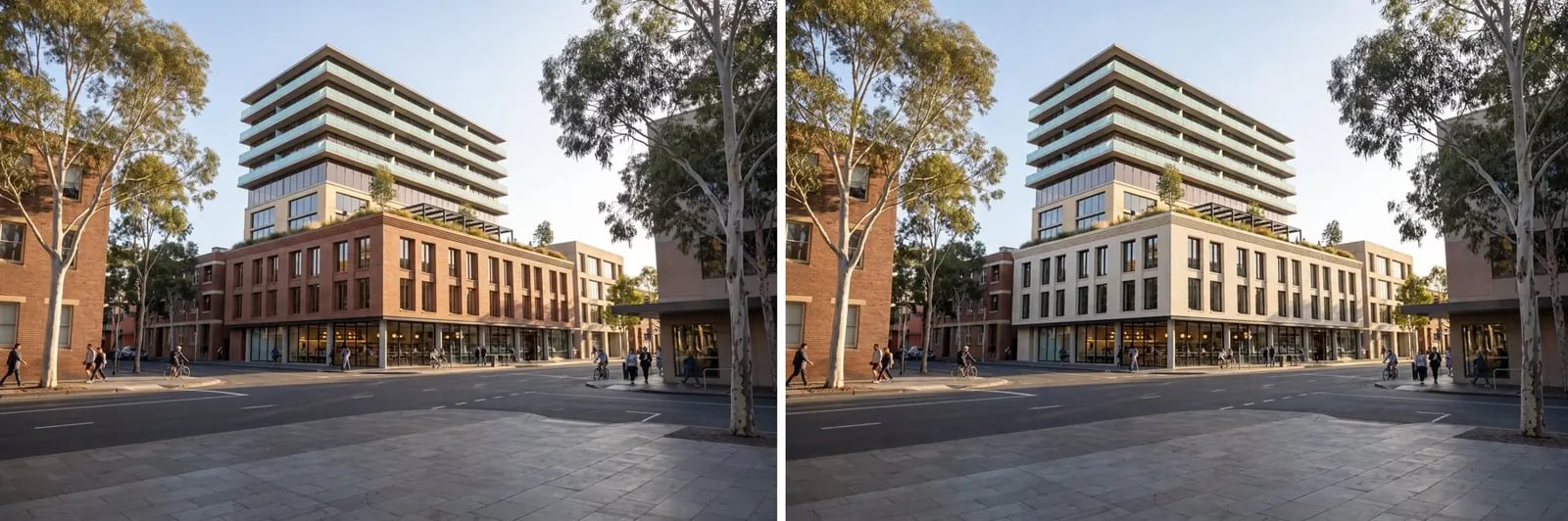
- Render to edit holds the finished image.
- Swap podium brick (Muse): Change the red-brown brick of the three-storey podium to a pale cream glazed brick with fine light-grey mortar joints.
Tips
- Change one material per run. Several changes in one prompt drift further from the original.
- If other parts of the image change too, use a mask (masks by material) to lock them.