

Open the example workflow
Make a copy of this workflow in your account to try it with your own images.
How it works
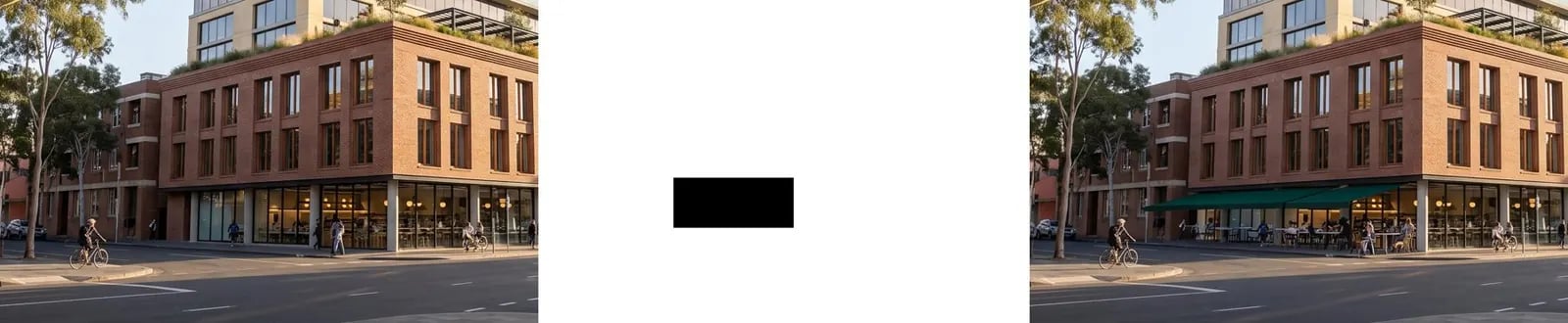
- Render to edit holds the image.
- Region mask is a short code node that draws a black rectangle (the area to edit) on white at the render’s size. Change its box values to move the region.
- Edit masked region (Ideogram 4.5) fills the box from the prompt: add a deep green canvas cafe awning above the corner shopfront, with small round marble cafe tables…
Tips
- Make the box a little larger than the thing you’re adding so it has room for shadows.
- For irregular areas, paint a mask in the image editor instead, or capture one from Rhino (masks by material).