

How credits work
When you run a model, Runchat calculates the credit cost based on the model’s unit pricing. Different models charge in different units:- Token-based models (LLMs), charged per token for input and output separately
- Image models, charged per image generated
- Video models, charged per video or per second of video
- 3D models, charged per mesh generated
Buying credits
Every account starts with 500 free credits on the Starter plan. You can get more credits by:- Credit top-ups, pay-as-you-go credits, $1 per 1000 credits
- Subscribing to a plan, monthly credits included with Hobby ($15 of credits/mo), Pro ($50 of credits/mo), and Max ($150 of credits/mo) plans
Free models
Hobby, Pro and Max plans all include access to free models for chat and image generation, plus web search. These let you prototype and explore ideas without worrying about the cost of each generation or lookup. Free access is subject to daily, weekly and monthly caps that increase with the Pro and Max plans. Web search draws from the same free pool, so it won’t cost credits until that pool is exhausted.If you exceed your free cap you can upgrade your plan, wait until the next day
or use Runchat credits instead.
Bring your own keys
On the Hobby plan and above, you can link your own API keys from providers like OpenRouter, Fal, Gemini, and Groq. When using your own keys, model usage is billed directly to your provider account instead of consuming Runchat credits. See Credentials for setup.Fixed credit costs
Some actions have a fixed credit cost on top of any model cost:
* On Hobby, Pro and Max plans, web search draws from the free pool and only costs credits once that pool is exhausted.
Apps are Code Nodes that run on their own compute and serve their own UI. Any
request to these apps will be billed as one credit.
Cost warnings
Before you run a node, you’ll see an estimated credit cost on the run button. When a run is going to cost more than 1,000 credits (roughly $1 on the Starter plan), the bolt icon turns orange. The same orange badge appears on the selection toolbar when running multiple nodes at once.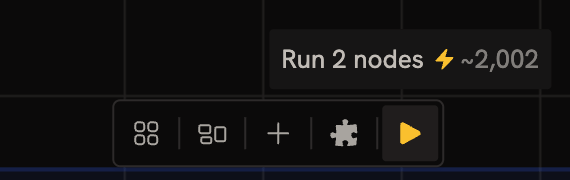
Model pricing
The tables below show the current credit cost for all available default models. Prices are listed per unit (per token, per image, etc.). For token-based models, the cost depends on the number of input and output tokens. Models with prompt caching offer reduced rates for cached input tokens.You can install additional models from OpenRouter or
fal.ai by pasting a model URL into the Search bar in the
Editor.
Text models (per token)
Image models
Video models
3D models
Audio models
Next steps
- Subscriptions: plan tiers, included credits, and team seats
- Credentials: link your own provider API keys to bypass Runchat credits