

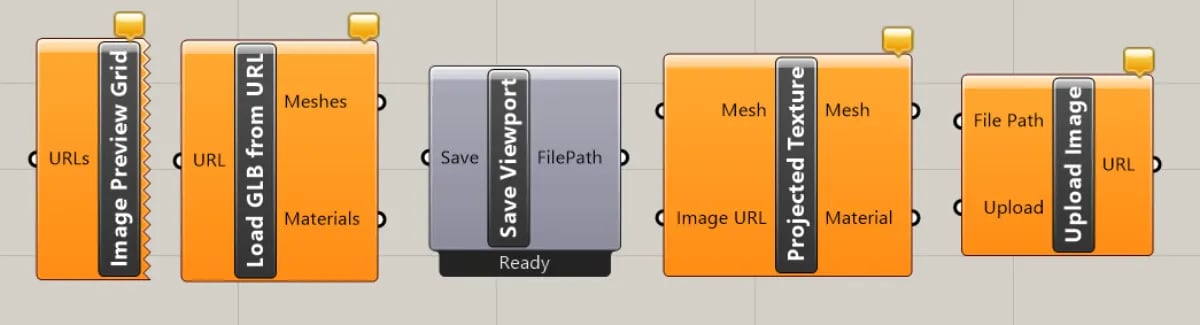
Image Preview
Connect an image URL to download and preview the image in Grasshopper. Useful for previewing the output of text-to-image workflows.Load GLB
Connect a glb or gltf URL to download and load the model into the Rhino viewport. Useful for previewing the output of image-to-3D workflows.Upload Screenshot
Uploads a screenshot of the active Rhino viewport to Runchat and returns the URL. Use this to feed Rhino geometry into a workflow as image input, for example to generate renders from a massing model.Camera Projection
Projects an image onto a mesh using the camera in the active Rhino viewport. Useful for applying generated textures or reference images onto existing geometry.Preview Viewport
Displays an image in a new viewport with matching dimensions. Useful for comparing generated images against the active scene.Next steps
- Runchat node: the main component these utilities pair with
- Grasshopper Examples: definitions that show these components in context
- Runchat for Grasshopper: plugin overview and chat agent