

Adding a credential
Open the Secrets section of the account menu. Enter a name for your variable, paste the sensitive value, and add a comma-separated list of allowed origin URLs (e.g.https://api.example.com). Click Add to encrypt and store it.
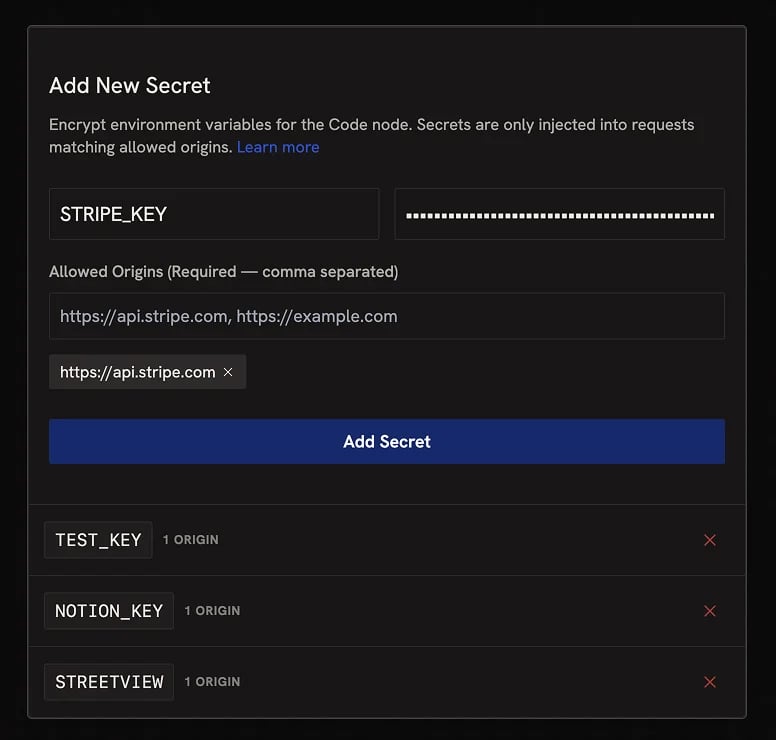
Allowed origins
Every credential requires a list of allowed origins, the only domains it can be sent to. This is the core security model: even if your workflow code or a third-party tool tries to send the secret somewhere else, the request will be blocked. Set the list as tightly as possible to the actual API host you’re calling.Sharing Runchats that use credentials
How a credential resolves at runtime depends on how the workflow is being accessed:- Signed in to Runchat: your own credentials are used.
- Called via the Runchat API: the credentials of the user whose API key made the request.
- Run from a published App: the visitor’s own credentials — your credentials are never shared with app visitors.
API key safety
API keys are passwords for programmatic access. Most don’t expire on their own, so it’s worth thinking carefully before you create one.- Minimum scope. Defaults are usually “everything”. Grant only what the integration actually needs (e.g. read-only when you only need to read).
- Test accounts. Where the service supports it, generate keys against a test or sandbox account before pointing one at production data.
- Spend caps. For billable services, set a hard limit. A leaked key with no cap can rack up charges fast.
- Sensitive data. Ask: if this key leaked, what’s the worst case? Treat keys with broad access more cautiously.
- Allowed origins. Always set them as narrowly as possible. A leaked key with a wide allowed-origins list is much easier to abuse.
Accessing credentials in code
To use a credential, typeENV. (with the dot) in any Code node. Runchat shows a list of every key and linked service you have, plus a few global variables (the current Runchat ID, instance ID, and user ID). Click a key to insert it as a placeholder.
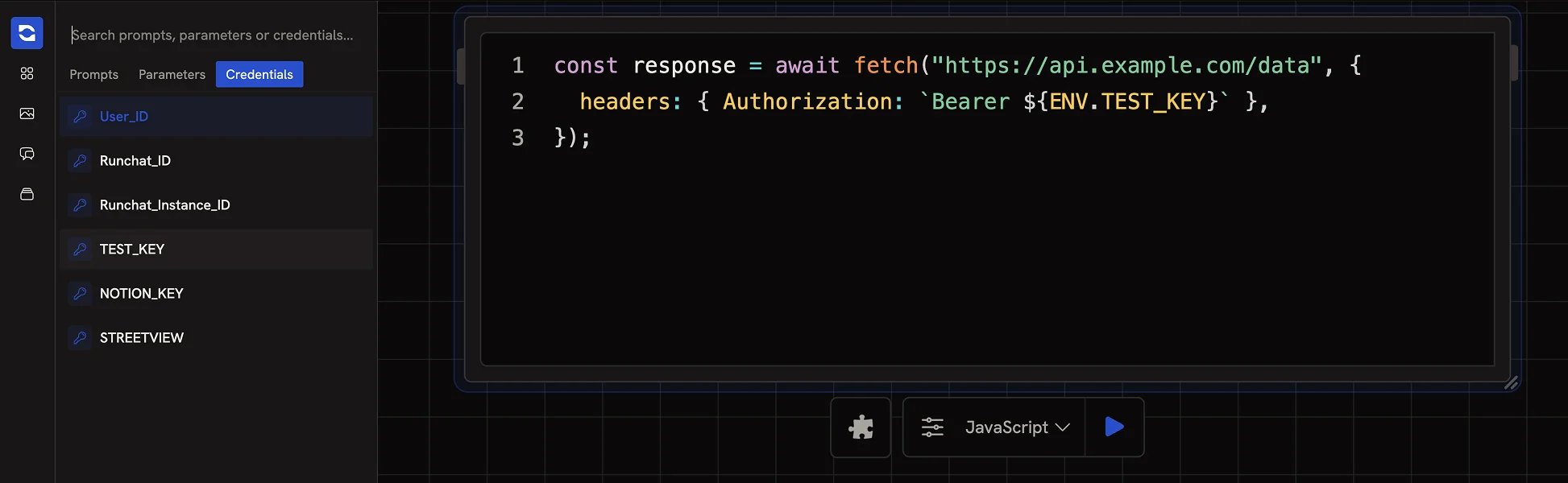
These variables are placeholders. You cannot print or use them for anything other than
fetch() requests to your allowed origins.Next steps
- Link Accounts: one-click integrations for popular providers
- Code node: write JavaScript or TypeScript to call APIs