

Running nodes
There are two ways to run what’s on your canvas:
When you run a selection, Runchat figures out the right order automatically: upstream nodes run before downstream ones.
Reading node states
You can tell what’s happening just by looking at a node’s border. When a node finishes successfully, the card flips to show its output preview.Locking results
When you’ve got a result you’re happy with, lock the node using the lock button in its toolbar. It goes slightly transparent, and from then on it won’t re-run and its settings can’t be changed. This is great for protecting work while you experiment with the rest of the workflow.Credit estimates
Before you run anything, hover the play button to see an estimated cost: a lightning bolt icon with a number. On a single node it’s the cost for that node; on the selection toolbar it’s the total across everything selected. It’s an estimate, not a promise, but it’ll get you in the right ballpark. When a run is going to cost more than 1,000 credits, the bolt turns orange. It’s a heads-up, not a block. See Cost warnings for details.Reading errors
If a node errors out, its border turns red and an alert icon appears on the info button.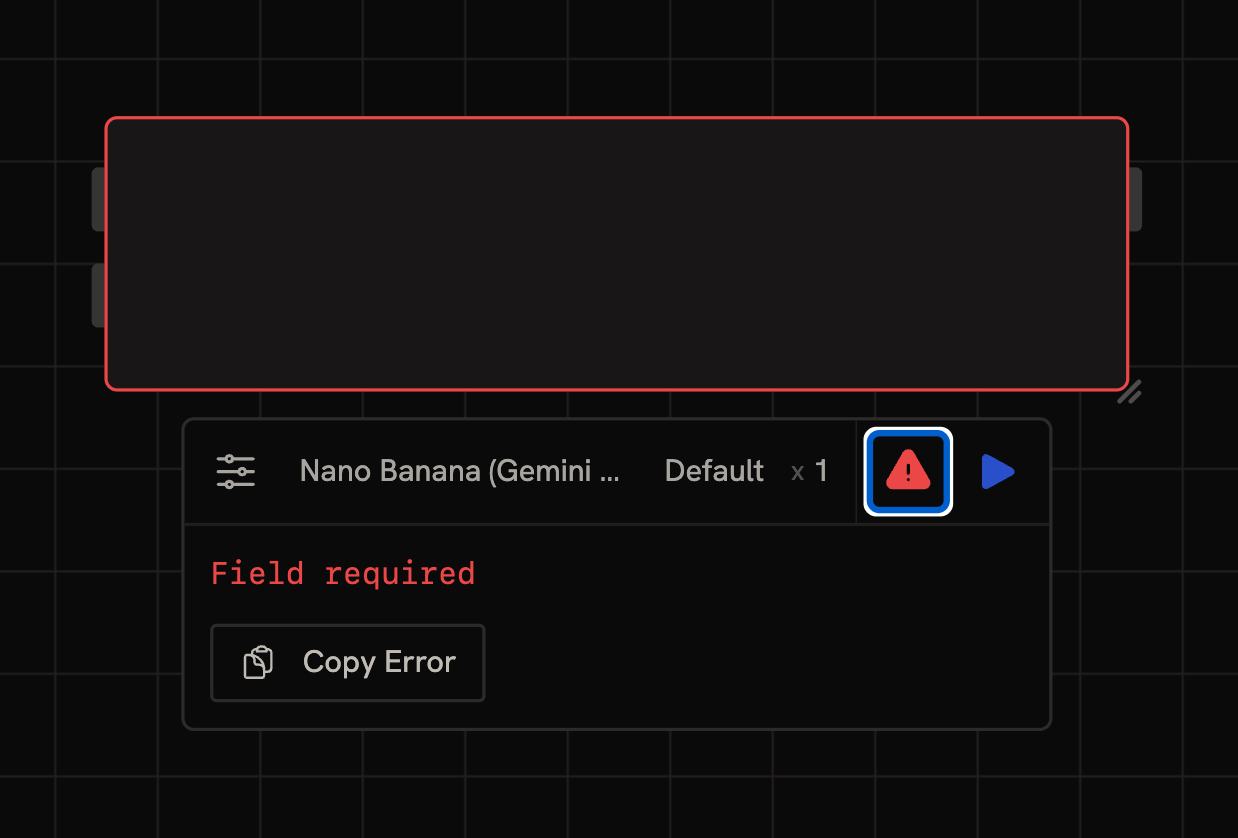
- The error message in plain English
- Suggested next steps, like “buy more credits” or “check your API key”
- A copy button to grab the full error
Ask the Chat Agent
The Chat Agent can read your canvas, including the error state of any node. Select the failing node and ask the agent to take a look. It can read the error message, inspect upstream inputs, suggest a fix, and in many cases apply the fix directly by editing parameters or rewiring the workflow. This is often faster than debugging manually for issues like missing references, type mismatches, or empty inputs. See the agent capabilities reference for what it can read and edit.Quick checklist
Before running something expensive:- Have I checked the credit estimate on the play button?
- If the bolt is orange, do I really want to run it?
- Are the nodes I care about locked so they don’t re-run accidentally?
- Have I tested with a cheap model first?
- Click the info button on the red node
- Read the error message, most fixes are obvious from it
- Select the failing node and ask the Chat Agent to take a look
- Copy the error and post in Discord if you’re still stuck
Next steps
- Connecting Nodes: wire data between nodes with edges, references, and published parameters
- Credits: how cost is calculated and how to control it